Dynamic Diagram
For a specific flow through the static structure: numbered steps, one scenario.
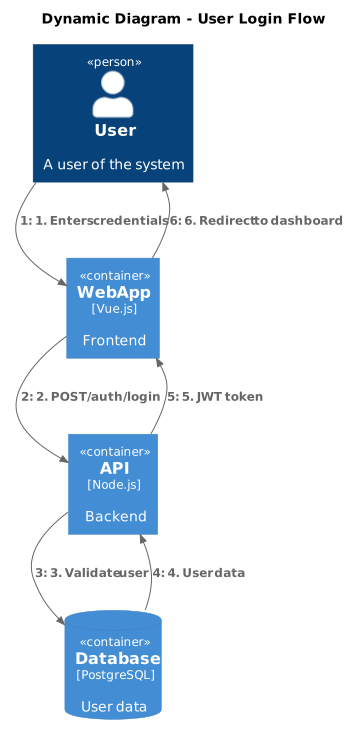
- Format.puml
- Length18 lines
- LibraryC4-PlantUML
The source
18 lines of PlantUML, and pulls in C4-PlantUML. Copy it, or open the template inside Gnomon and render it as it is.
@startuml
!include https://raw.githubusercontent.com/plantuml-stdlib/C4-PlantUML/master/C4_Dynamic.puml

title Dynamic Diagram - User Login Flow

Person(user, "User", "A user of the system")
Container(web, "Web App", "Vue.js", "Frontend")
Container(api, "API", "Node.js", "Backend")
ContainerDb(db, "Database", "PostgreSQL", "User data")

Rel(user, web, "1. Enters credentials")
Rel(web, api, "2. POST /auth/login")
Rel(api, db, "3. Validate user")
Rel(db, api, "4. User data")
Rel(api, web, "5. JWT token")
Rel(web, user, "6. Redirect to dashboard")

@enduml
Render this offline
This template ships in Gnomon and renders on your machine, with no account and nothing sent to a server. The browser editor is free and needs no install.
Others in C4 model diagrams
- Context DiagramThe one to draw first, and often the only one a stakeholder needs.
- Container DiagramIndependently deployable or runnable things: a service, a database, a SPA. Not classes.
- Component DiagramInside one container. Draw this only when a container is big enough to need it.
- Deployment DiagramMaps containers onto infrastructure. Where a container diagram cannot answer "where does this run?".